
Su-vastika Solar PCU Mobile App: Every Setting Explained by its Creator
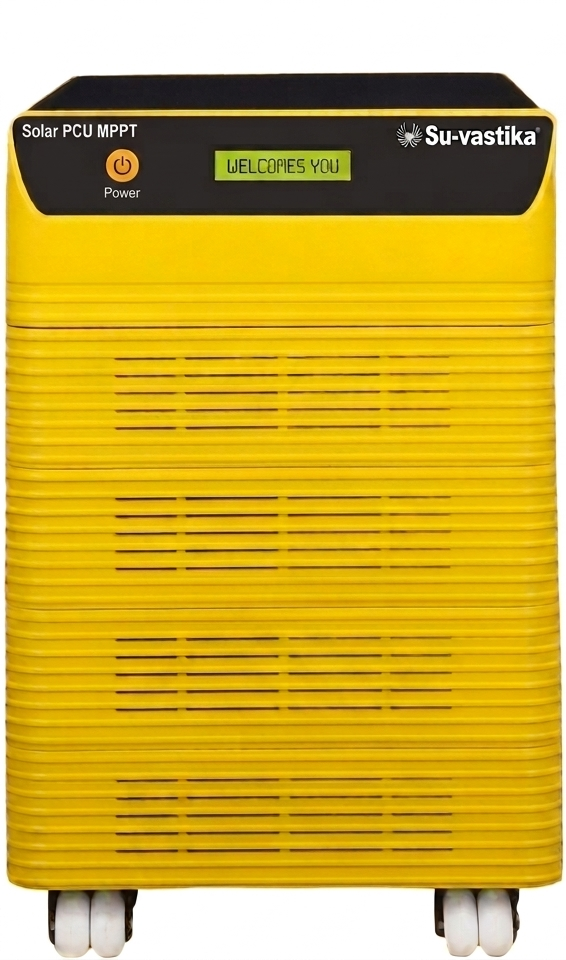
Nobody explains their own app, setting by setting. Let me be the first. We built the Su-vastika Solar Hybrid PCU mobile app so that a homeowner could see and control every watt flowing through their solar system — from the phone in their pocket. The app is live on Google Play and the Apple App Store. In this guide I'll walk you through every screen and every setting — what it does, and why we built it that way.
Connecting Is One Scan
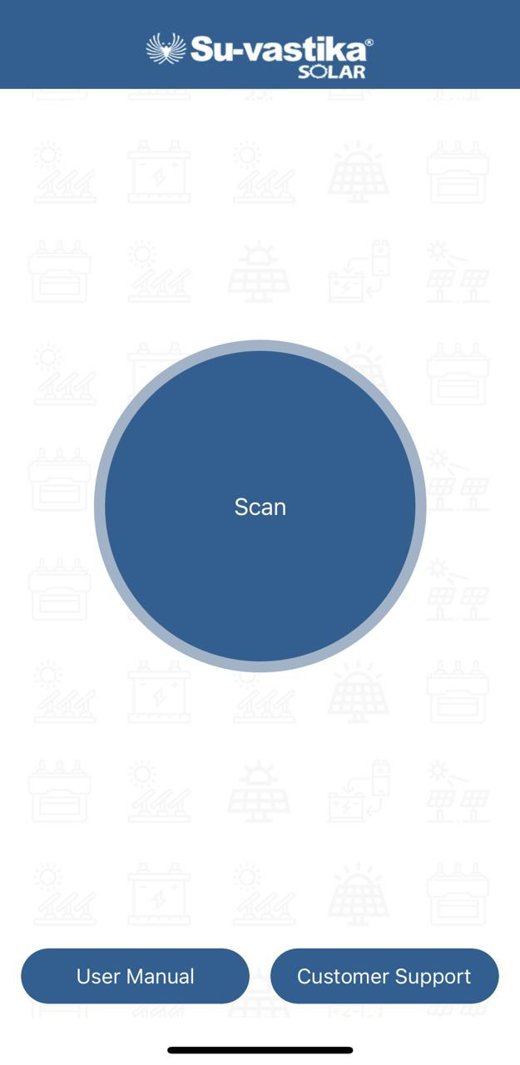
Every Su-vastika Solar Hybrid PCU carries a serial number. Open the app, tap Scan, point the camera at the unit's serial sticker, and the app pairs with your PCU over Bluetooth. No passwords, no network configuration to start — and if you want monitoring from anywhere in the world, the same app configures Wi-Fi in one more step.
The Dashboard: Your Whole Power System on One Screen
The home screen is a live energy-flow diagram. You see the solar panels, the grid, the battery and your load — with real numbers updating in real time: solar generation, grid voltage and frequency, battery SOC (state of charge), battery temperature, and load percentage. The app shows which of the three operating modes the PCU is in at this moment:
- Mains Mode — grid is healthy; loads run on grid while solar and grid share battery charging.
- UPS Mode — grid has failed or gone out of limits; loads run on solar + battery with UPS-grade switching.
- Solar Mode — the sun is doing the work; the app shows solar carrying the load.
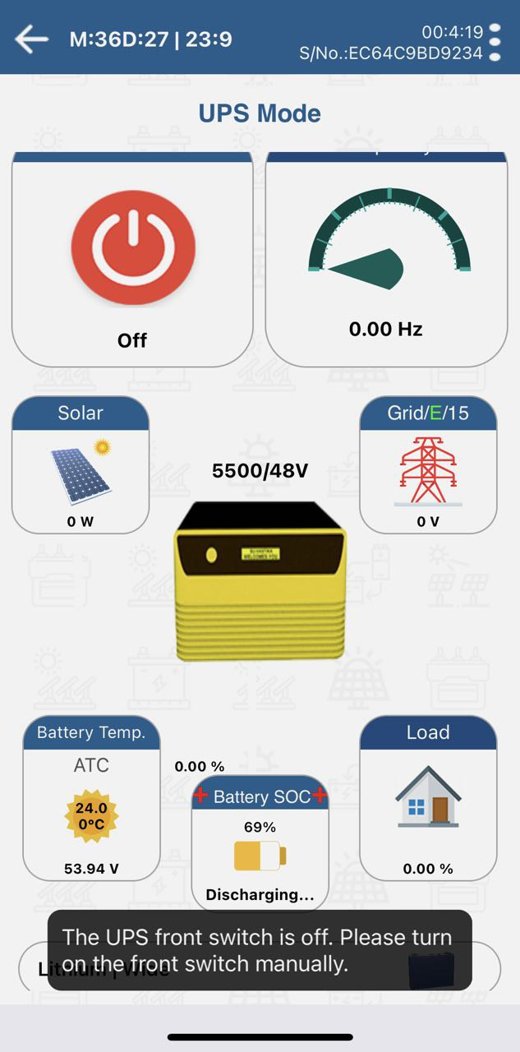
Notice the message strip at the bottom of the screen. That is our guided problem-solving: the app doesn't just show a fault code, it tells you in plain words what happened and what to do — "The UPS front switch is off. Please turn on the front switch manually."
Every Setting, Explained by the Person Who Specified It
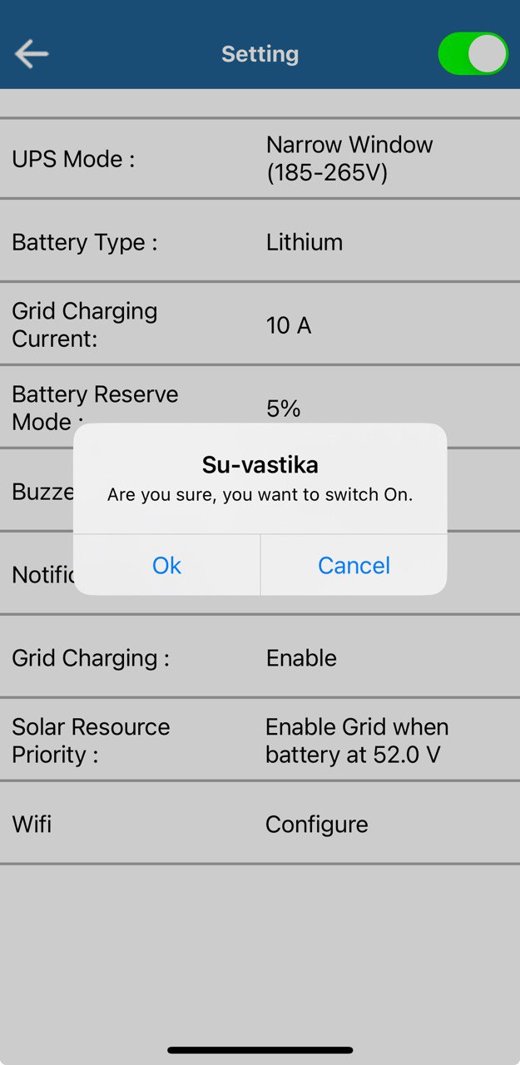
Everything below is two-way: change it in the app and it is written directly into the PCU's memory.
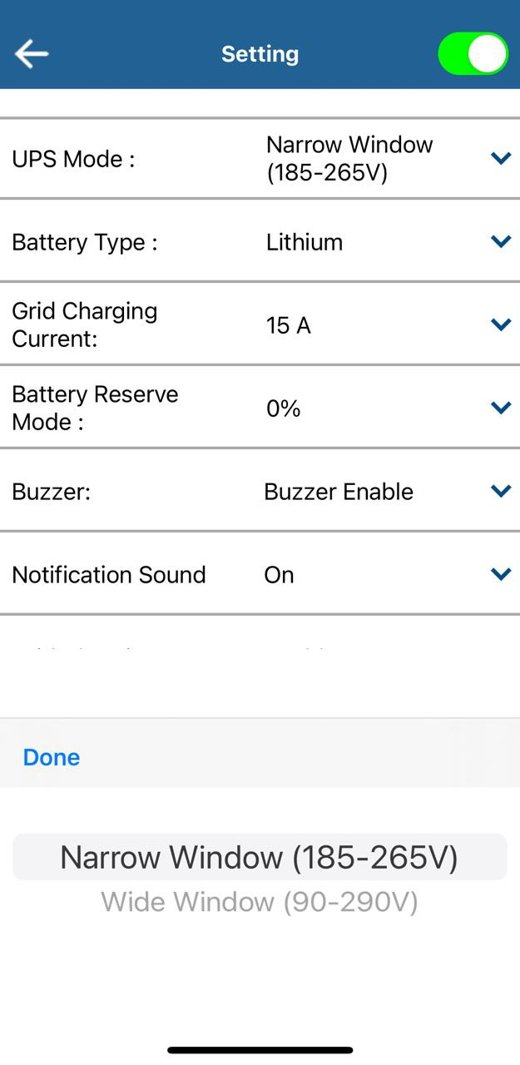
- UPS Mode — Narrow Window (185–265V) vs Wide Window (90–290V): computers and printers need tight voltage, so choose Narrow and the PCU switches to battery the moment grid voltage strays. Fans, lights and motors tolerate more, so Wide Window saves your battery for real outages. One tap changes the philosophy of your backup.
- Battery Type — Tubular, SMF or Lithium: each chemistry needs a different charging profile. Select your battery once and the PCU stores it and charges accordingly.
- Grid Charging Current — 2.5A / 5A / 10A / 15A: small battery? Choose 2.5A and charge gently. Big bank and frequent cuts? 15A. This is also a bill-control knob: lower current means less grid draw.
- Grid Charging Enable/Disable: switch grid charging OFF entirely and the battery charges from solar alone — the single most effective setting for cutting your electricity bill.
- Battery Reserve Mode (Depth of Discharge): set how deep the battery may discharge. Keep a reserve for battery longevity — or in an emergency, lower the reserve from the app and squeeze out extra backup time when there's no grid.
- Solar Priority Battery Voltage: my favourite. Set a threshold — say 52.0V — and the PCU will not touch the grid for charging until the battery falls to that voltage. Solar gets the first right to charge your battery, every single day.
- Buzzer On/Off and Notifications On/Off: the machine beeps and the phone alerts you on overload, short circuit, low battery and high temperature — and you decide how loud your system is allowed to be at 2 AM.
- Load Monitoring: see load percentage live in Solar and UPS modes and spot the high-wattage appliance that's eating your backup.
- Remote Switch & Reset: a switch inside the app turns the output on or off remotely — and the same switch acts as the reset after an overload or short-circuit trip. No walking to the machine.
Watch Grid Sharing Happen Live
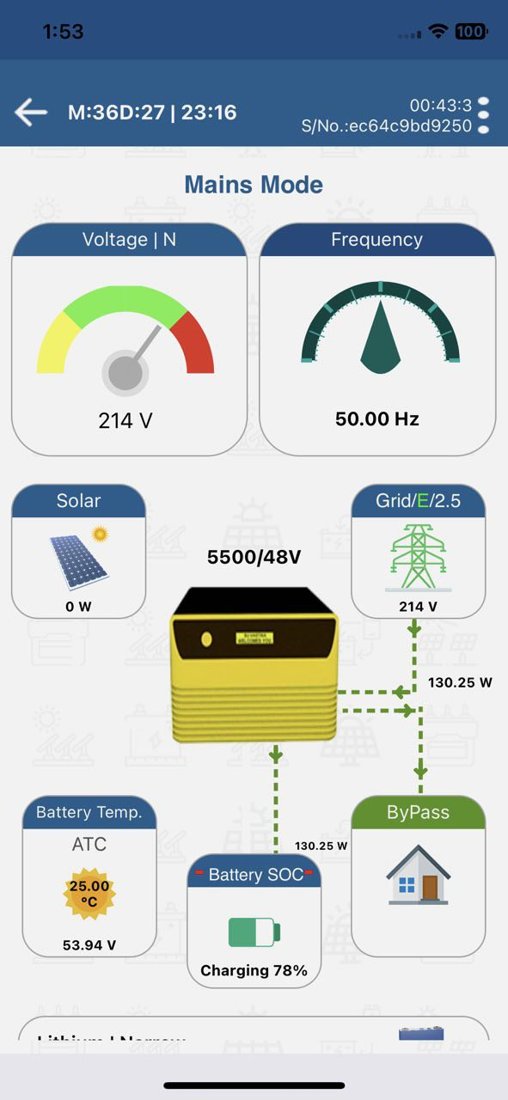
In Mains Mode the dashboard shows something I'm proud of: solar and grid charging the battery together, with the app displaying the charging percentage and exactly where the current is coming from. When clouds pass, grid quietly tops up; when the sun returns, grid steps back. You can watch it happen on the energy-flow animation.
When Something Goes Wrong, the App Speaks Human
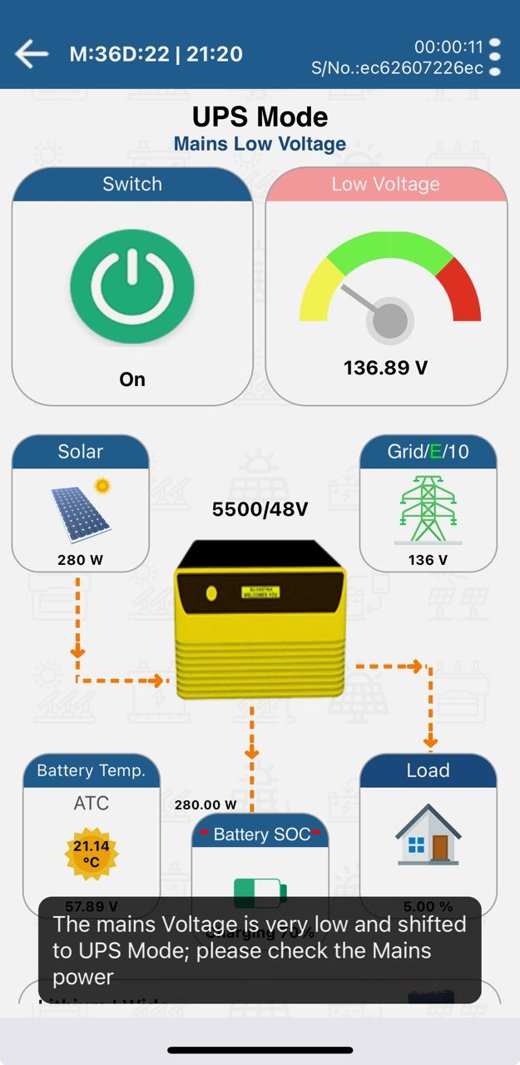
The app tracks every fault state of the PCU and explains it: overload warning before an overload shutdown (reduce the load and reset from the app), short-circuit shutdown, battery low warning → low shutdown → high shutdown, and high temperature warning → shutdown. Even grid problems are narrated:
Quick Reference: Which Setting for Which Goal
| Your goal | Setting to use |
|---|---|
| Cut the electricity bill to minimum | Grid Charging Disable + Solar Priority voltage high |
| Protect computers/printers | UPS Mode → Narrow Window (185–265V) |
| Maximum backup during a long outage | Lower Battery Reserve (DOD) temporarily from the app |
| Gentle charging for a small battery | Grid Charging Current → 2.5A |
| Fast recharge between frequent cuts | Grid Charging Current → 15A |
| Silence at night, alerts on phone only | Buzzer Off + Notifications On |
Download It
The app is free and works with every Bluetooth/Wi-Fi-enabled Su-vastika Solar Hybrid PCU:
- Android: Su-vastika Solar on Google Play
- iPhone/iPad: Solar Hybrid PCU on the App Store
Frequently Asked Questions
Q. Does the app need internet?
No — Bluetooth works standing near the unit with no internet at all. Configure Wi-Fi in the app and you can monitor and control from anywhere.
Q. Can the app really change the PCU's behaviour, or is it just monitoring?
It's two-way. Window mode, battery type, charging current, grid charging on/off, battery reserve, solar priority — all are written directly into the PCU from the phone.
Q. I have frequent power cuts. What should I set?
Grid Charging 10–15A so the battery refills quickly between cuts, and Battery Reserve at the default so the battery lives long. In a multi-day outage, lower the reserve temporarily for extra backup.
Q. What happens during an overload?
You get a warning first (buzzer + notification). If the load isn't reduced, the PCU shuts down to protect itself — then you remove the extra load and reset straight from the app.
Solar power you can hold in your hand
Every Su-vastika Solar Hybrid PCU with BLE/Wi-Fi works with this app — BIS certified, lithium-ready, engineered in India.
Explore Products Talk to an ExpertRelated guides

From Kunwer Sachdev’s Network
Want to compare prices before you buy?
India’s independent price-comparison and buying-intelligence hub for inverters, batteries and solar — zero affiliate bias.
➤ Compare inverter & UPS prices
➤ Lithium vs lead-acid — full guide
➤ Free backup calculator (lab-tested data)
The story of Kunwer Sachdev — 106 technology filings (77 at Su-Kam, 25 at Su-Vastika, 4 personal AI filings), India’s first plastic-body inverter, and the journey that brought solar into millions of homes.
➤ Pioneer timeline of firsts
➤ Video library — the work in his own voice
Found this story worth sharing? Post it to your network — it takes one click:
About the Author

Kunwer Sachdev — known as the Inverter Man of India and the Solar Man of India. Founder of Su-Kam, holder of 106 technology filings, and mentor to Su-vastika. Read his story →
Follow on LinkedIn · kunwersachdev.com
Kunwer Sachdev exited Su-Kam in 2019 and is not responsible for any activity of the company since. Full disclaimer →
Part of the Series
Solar PCU & MPPT Charge Controllers: Complete GuideExplore Products
Su-vastika Solar PCU
25+ patents · Made in India · 10,000+ installations